UNO40
Node-operator (Unetwork Operator).
ULO Launchpad
Activate, run the Unetwork app, and keep 60% of rewards.
Split policy
40 UNOUNO means Unetwork Operator (the operator leasing licenses). / 60 ULOULO means Unetwork License Operator (the app user running the tasks).
You keep 60% as the active license operator; the UNO owner receives 40%.
Updated May 13, 2026
Loading claim code availability...
40 UNO / 60 ULO Split
Quick check first, then your code appears here.
Who's who
UNO40
Node-operator (Unetwork Operator).
ULO
App operator (Unetwork License Operator).
UP
Unetwork Points rewards (1 UP ≈ 1 USD).
Unetwork provides network licenses, and Unetwork App runs them on your device so you can process tasks and earn rewards.
Operator onboarding
Install, activate, and start contributing fast. Setup takes 2 minutes.
Step 1
Download Unetwork App on iOS or Android and sign in to your account.
Step 2
Pick an active Unetwork license from this page and copy the license claim code into the license claim field.
Step 3
Keep your phone online. When jobs are available, Unetwork App runs them automatically.
Earnings framework
Rewards are based on current task volume, network conditions, location, connectivity and uptime.
Point value
1 UP = 1 USD.
PASSIVE TASKS
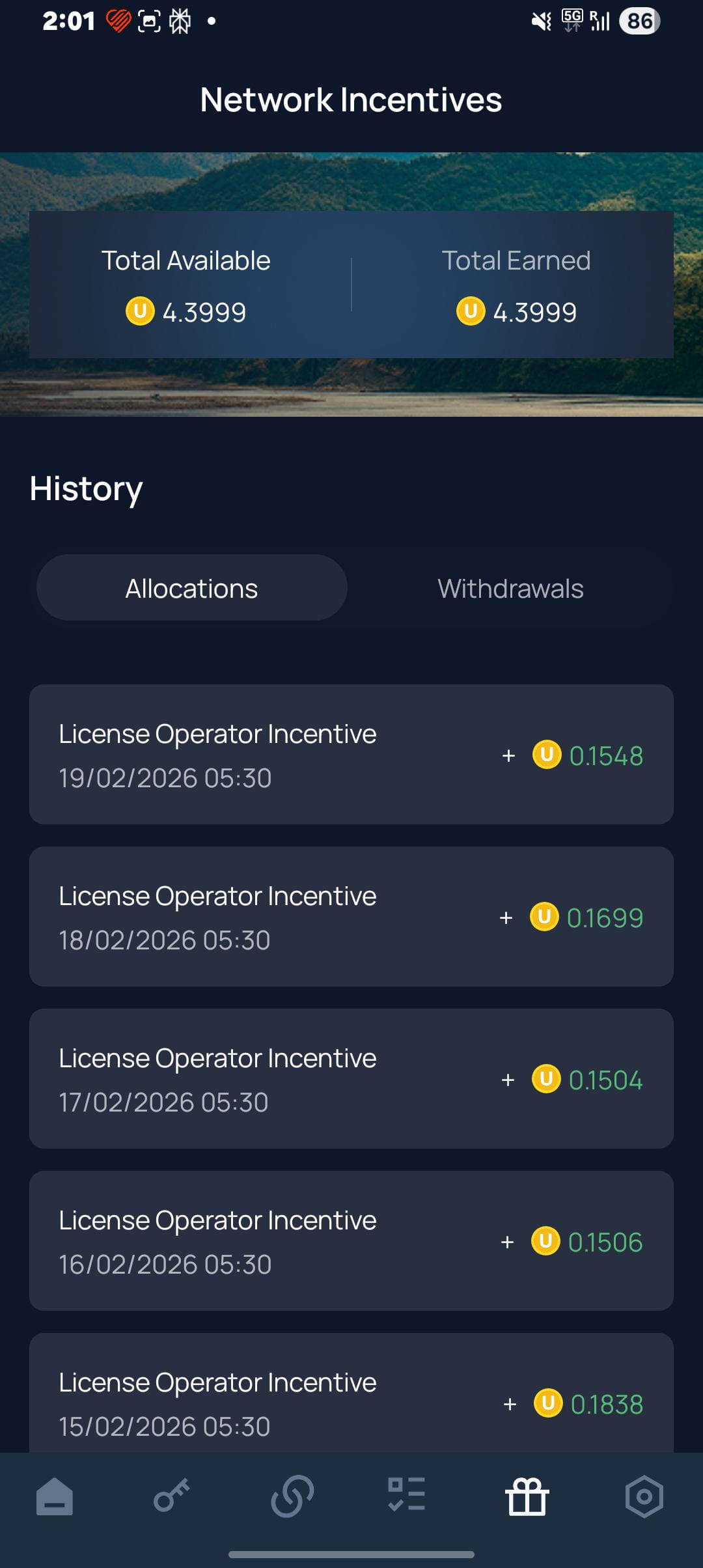
Passive tasks run in the background. As long as you keep your phone powered and connected, you can earn around 4.5 UPs per month.
Growth outlook
Expect to earn beyond 55 UPs per month per device when all the tasks are added and available.
ACTIVE TASKS
Active tasks require an action from you and can generate much higher rewards.
Realistic scenarios
One device can bring around $4 to $5 a month. Earnings can grow when you run multiple devices, especially if you add idle phones or spare tablets on Wi-Fi.
1 device baseline
~$0.12/day · ~$3–4/month
5 devices baseline
~$0.60/day · ~$18/month · ~$216/year
Higher-value tasks can increase what each device earns over time.
Support
Quick answers about Unetwork App license claims, Unetwork Points payouts, and platform limitations.
Open the Unetwork app, paste a license claim code from this page into the license claim field, and confirm activation.
Every listing here uses a fixed 40 UNO / 60 ULO split: 60% of rewards go to the ULO (you, the active license operator), and 40% go to the UNO (the Unetwork operator leasing the license).
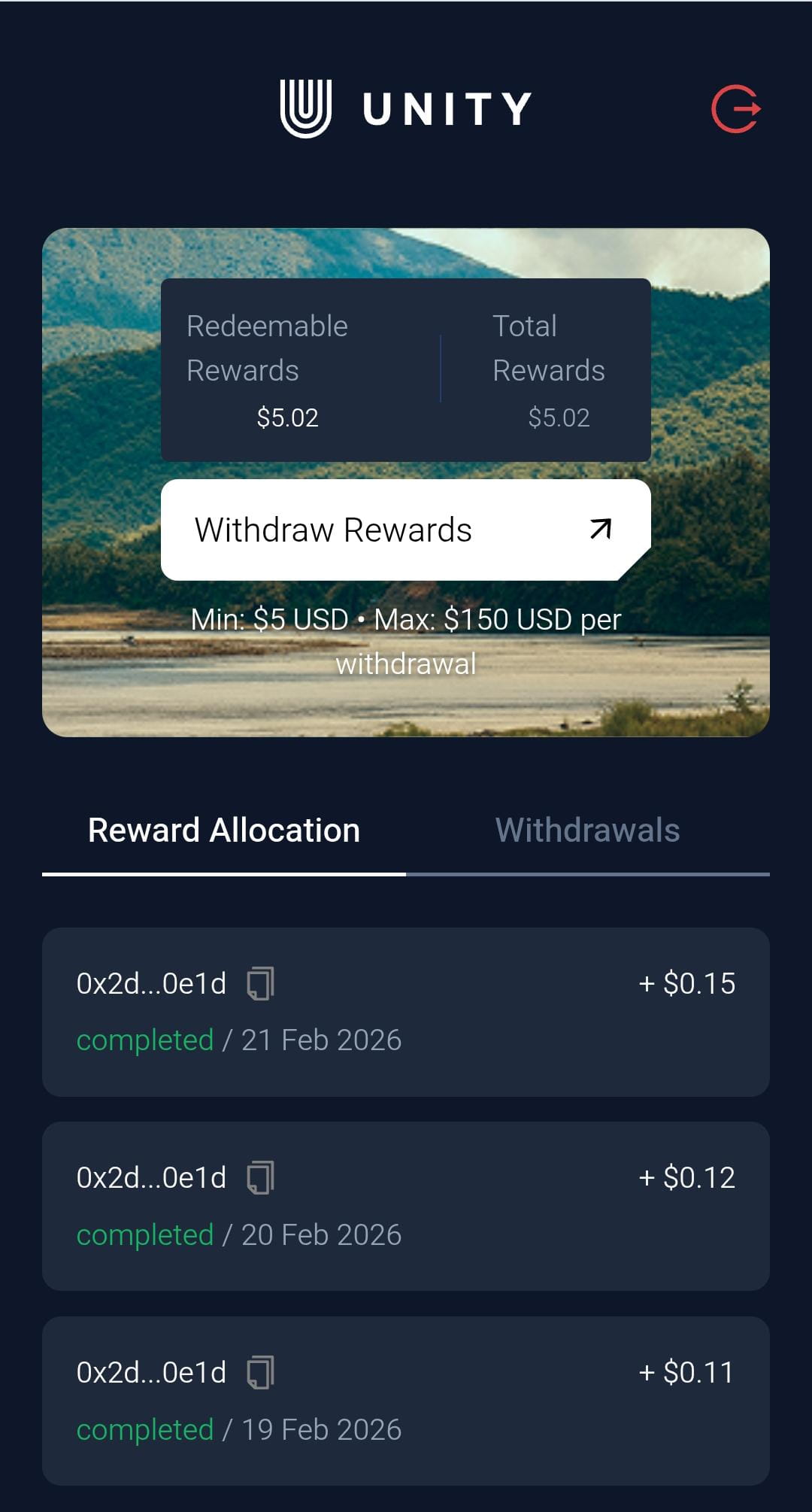
The minimum withdrawal is $5 and the maximum withdrawal is $150 per withdrawal request.
First accumulate at least 5 Unetwork Points ($5), then go to manage.unitynodes.io, sign in with your account, and use the Withdraw button in the portal.
Yes. Both Android and iOS users can participate in passive background tasks as long as their devices stay powered and connected.
Your device is not earning while it is offline because it cannot process incoming tasks. When it goes back online and processes new tasks, rewards resume for the work done.
Yes, just grab a new license and set it up on your new device.
It just takes a couple of minutes.
Unetwork Points payouts
Simple withdrawal rules so your earnings path stays predictable.
Unit of earnings
Earnings are represented in Unetwork Points.
Withdrawal limits
Minimum withdrawal: $5 (5 Unetwork Points). Maximum withdrawal: $150.
How to withdraw
Accumulate at least $5, then head to the management portal and log in with your account. You will see a Withdraw button in the portal.
Payout methods
Withdrawals are processed through the web portal and can be sent directly to your bank account via wire transfer or through major cryptocurrencies, including USDT, USDC, ETH, ADA, SOL, and others.
Unetwork is not a crypto project. It has no native token or coin. Unetwork Points are accounting units tied to telecom data services revenue.
For official information, please visit the official Unetwork website.
Network impact
A lightweight way to contribute useful telecom activity from a device you already own.
Set up the Unetwork app on your phone, keep it connected, and let it run tasks in the background when work is available. It is a simple way to start contributing in just a few minutes.
In short: your phone helps strengthen global connectivity so people can stay better connected, while you earn rewards for useful participation.
Install the app, claim a code, and keep your phone online.
Help verify telecom activity, spot issues faster, and improve network reliability.
You earn through the in-app lease flow with transparent operator rewards.
Unetwork App tasks
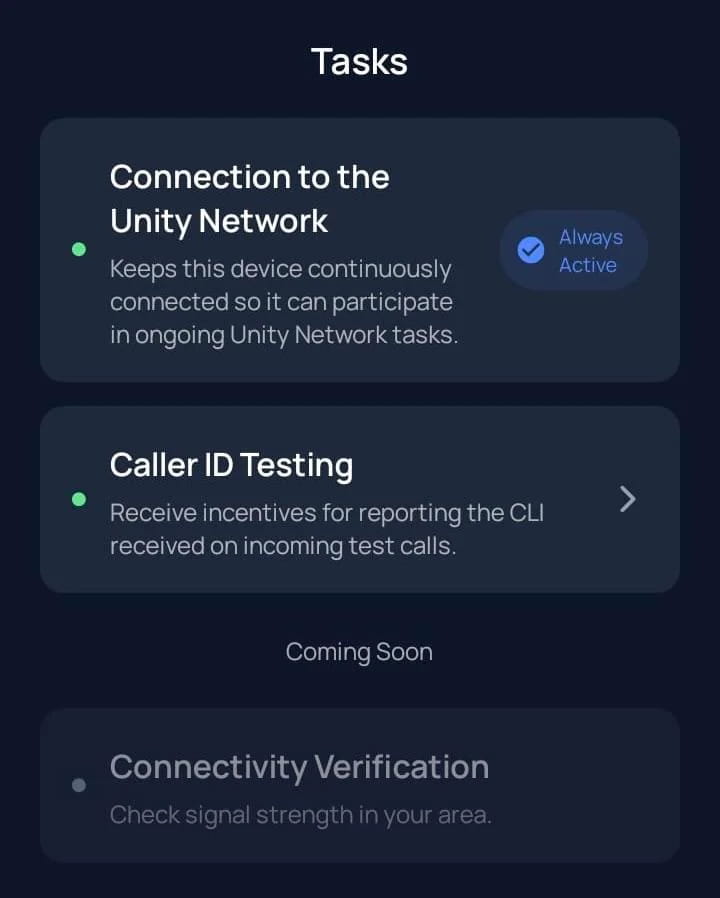
Background tasks run automatically, while all other tasks are opt-in so you choose what you want to join. More tasks means you can deliver more valuable data and earn more.
Tasks overview
The tasks page shows all available tasks. The background task is automatic, but all other tasks are opt-in so you can choose in which ones you participate. More tasks means you deliver more valuable data and earn more.
Opt-in task
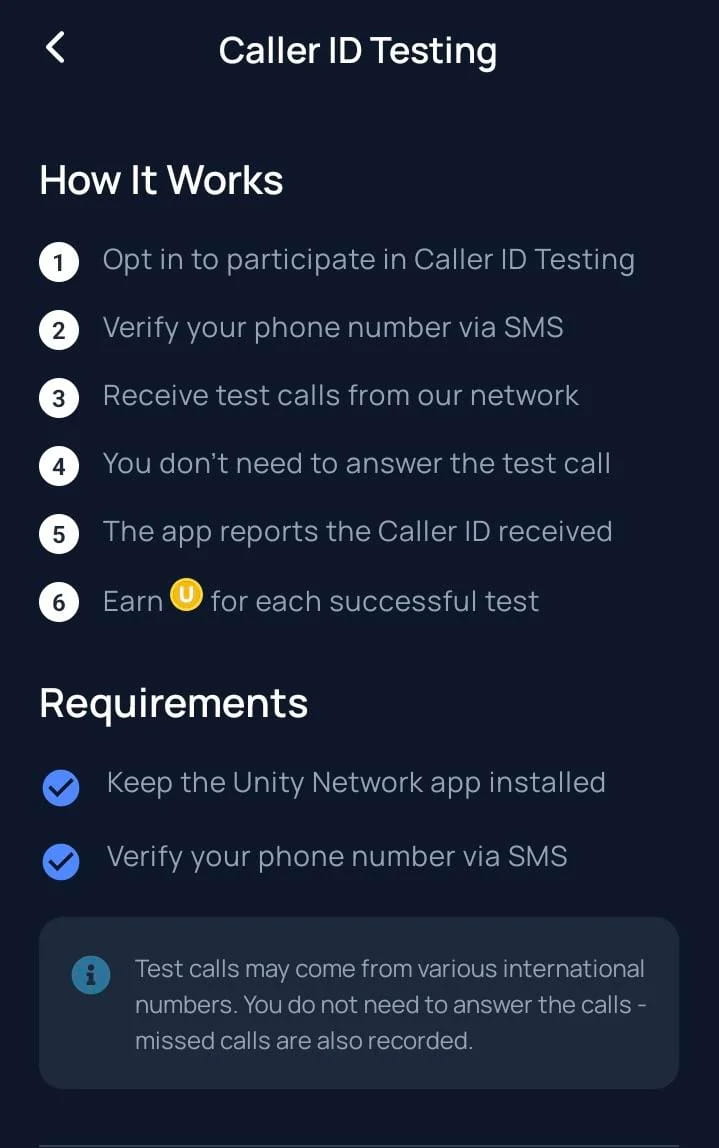
Receive rewards for reporting information on incoming test calls.
Caller ID (CLI) verification confirms that inbound calls display the correct and expected caller information as they pass through carrier routes to your device.
How it works:
Rewards: From 0.05 UP to 2.00 UP per call.
Pending task
Find prepaid international call plans and SIM/eSIM options available in your country.
Submit the plan details for admin approval.
Rewards: Earn UP for every approved submission.

Coming soon
You are responsible for discovering new telecom routes.
Rewards: Earn UP tokens per completed verification test.
Coming soon
You verify that discovered routes still work.
Rewards: Earn UP tokens for verified routes.
Active Unetwork Operator
We own and lease Unetwork licenses, and we contribute to the project through education and creating marketing content.
Cross-network operations
We also run node operations on World Mobile, the blockchain stack behind Unetwork.
We will always offer the same rate
Our split policy will remain fixed at 40/60 over time.
GET A UNETWORK APP LICENSE
Claim a code first, then activate in the app.